

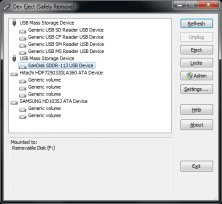
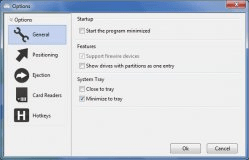
USB Safely Remove is a program to manage USB devices. This program is useful to manage flash drives, portable drives, card readers and other gadgets that you connect to your PC through the USB ports. USB Safely Remove is intended to allow the users to remove USB drives safely. It's always advisable to let the operating system know when we're going to physically unplug our hot-plug devices, in order to avoid the risk of data loss. Windows offers a feature to do this, but it shows the information about the plugged-in devices in a very messy way. So, sometimes it is hard to know, which device to stop when you need to unplug something. This program shows you the plugged-in devices in a clear way, hiding some devices that you will not usually unplug (like printers) and empty devices (like card readers without a memory card inserted). This way, it will be easy to select the right device to stop. USB Safely Remove even allows you to stop USB devices by using the Command Line Window. You can set the program to start on Windows startup, and are able to change the program's appearance.


Program to prepare bootable USB flash drives for Integrated Fiery servers.













Comments (6)